If you’ve purchased or are considering the BOSCH GLM100-23, this comprehensive guide will help you master this versatile tool. We’ll take you through everything from basic operation to advanced features.
1. Getting Started: Understanding Your GLM100-23
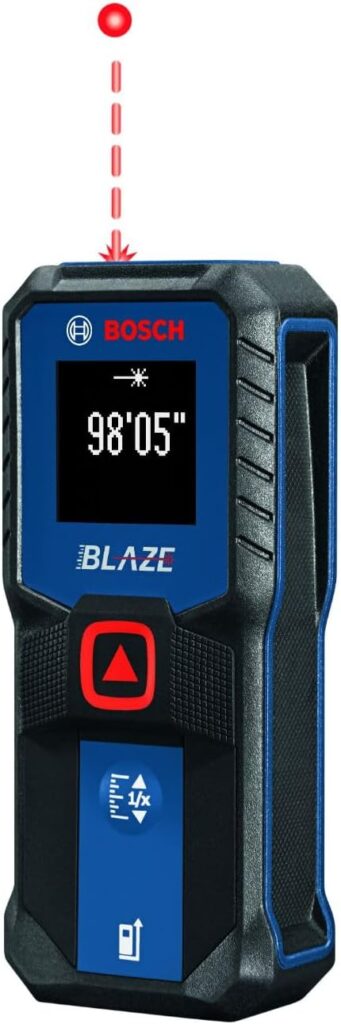
The BOSCH GLM100-23 is a professional laser distance measurer that delivers precise measurements with an accuracy of ±1/16 inch up to 100 feet. It’s an indispensable tool for contractors, interior designers, engineers, and dedicated DIY enthusiasts.
Why This Tool Matters:
· Saves considerable time compared to traditional tape measures
· Provides precise measurements consistently
· Automatically calculates area and volume
· Allows indirect measurements using the Pythagorean theorem
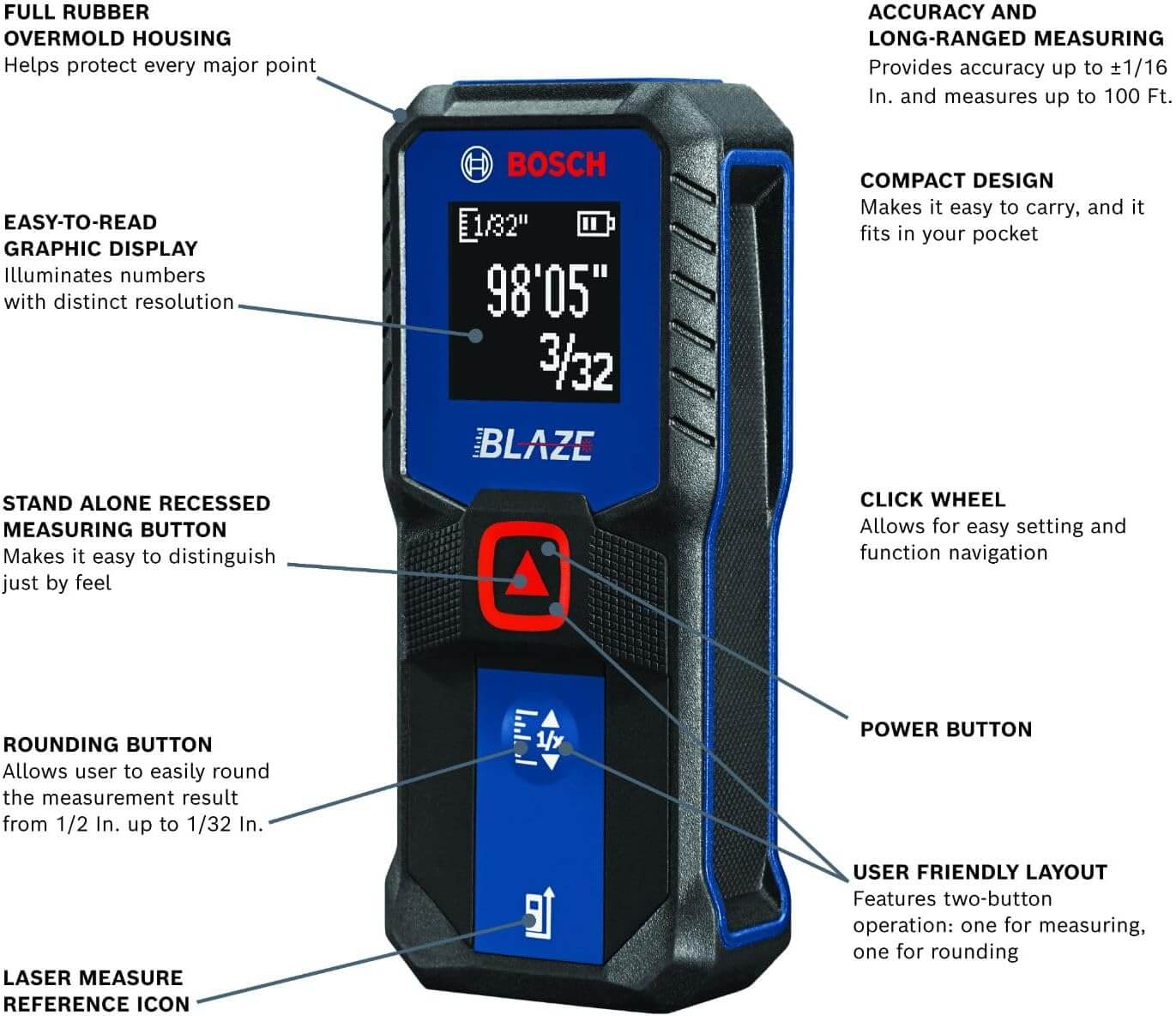
2. Device Overview & Key Features BOSCH GLM100-23
Control Panel Layout
· Backlit LCD Display: Clearly shows measurements, functions, and memory status
· Primary Measurement Button: Large front button designed for easy and accurate measurements
· Function Buttons: Forward and backward arrows for seamless navigation through memory
· Unit Button: Switches between different measurement units effortlessly
· On/Off & Clear Button: Powers the device on/off and clears stored measurements
Available Measurement Units:
· Feet and inches
· Meters
· Decimal fractions
3. Step-by-Step Operation Guide BOSCH GLM100-23
Step 1: Initial Setup
- Insert 2 AA batteries (included).
- Press any button to power on the device.
- Wait until the display shows 0.00, indicating it’s ready.
Step 2: Basic Distance Measurement
- Aim the laser at your target surface.
- Press and release the primary measurement button.
- Hold the device steady until the measurement appears.
- The distance will display in your selected unit.
Pro Tip: For best accuracy, place the device against a solid surface or use the built-in flip-out end piece for corner measurements.
Step 3: Area Calculation
- Measure the length (the device automatically stores this value).
- Press the measurement button again to measure the width.
- The device instantly calculates and displays the area (Length × Width).
Step 4: Volume Calculation
- Measure length, then width, then height in sequence.
- After the third measurement, the device automatically calculates the volume.
Step 5: Indirect Measurements (Pythagoras Function)
- Double-press the measurement button to enter Pythagoras mode.
- Measure distance A (the base).
- Measure distance B (the hypotenuse).
- The device automatically calculates and displays the height.
Step 6: Using Memory Functions
- Review Previous Measurements: Use the forward and back arrows to cycle through the last 30 measurements.
- Continuous Measurement: Hold down the measurement button for real-time tracking.
- Min/Max Function: While in continuous mode, the device tracks minimum and maximum distances.
Professional Tips for Optimal Performance
Maximizing Accuracy:
- Keep the lens clean by wiping it gently with a soft cloth.
- Avoid measuring dark or non-reflective surfaces, as they reduce maximum range.
- For long-distance measurements, use the included target plate.
- Avoid direct sunlight, which can interfere with laser detection.
Improving Workflow Efficiency
- Utilize Memory: Store up to 30 measurements to easily track progress on complex projects
- Flip-Out End Piece: Use for accurate and consistent corner measurements
- Reference Points: Use the back of the device or the end piece for repeatable and reliable reference points
Troubleshooting Common Issues
Problem: Device Won’t Measure
· Solution: Verify correct battery installation and ensure the plastic battery cover is removed if present
Problem: Unstable Readings
· Solution: Stabilize the device against a solid surface and minimize hand vibrations
Problem: Reduced Range
· Solution: Clean the laser lens, use a target plate, and avoid bright light interference
Problem: Display Difficult to Read
· Solution: Press and hold the unit button to toggle the backlight on or off
Practical Applications
For Contractors:
· Quick room dimensioning
· Material quantity calculations (drywall, flooring, paint)
· Squareness checking
· Elevation measurements
For Interior Designers:
· Precise space planning
· Furniture layout verification
· Window and door measurements
· Lighting placement planning
For Real Estate Professionals:
· Accurate property measurements
· Room size documentation
· Lot line verification
· Space utilization analysis
For DIY Enthusiasts:
· Home improvement projects
· Shelf and cabinet installation
· Garden and landscape planning
· Workshop organization
- Maintenance & Care Instructions
- Storage: Always return device to included pouch when not in use
- Cleaning: Use only soft, dry cloths – never chemicals on lens
- Battery Management: Remove batteries if not using for extended periods
- Environmental Protection: While IP54 rated (dust and water resistant), avoid complete immersion
- Temperature Considerations: Avoid extreme temperatures for prolonged periods
- Advanced Features Explained
Stake-Out Function:
· Allows adding/subtracting measurements
· Useful for partition spacing or repetitive measurements
Timer Function:
· Automatic shut-off after 3 minutes of inactivity (saves batteries)
· Can be disabled for continuous work sessions
Calibration Check:
· Periodically verify accuracy by measuring known distances
· Factory calibration is typically ±1/16 inch at 100 feet
- Battery Life Optimization
Expected Performance:
· Approximately 5,000 measurements with standard alkaline batteries
· Significantly more with lithium batteries
Battery-Saving Tips:
- Use backlight only when necessary
- Enable auto power-off
- Remove batteries during storage
- Consider rechargeable options for heavy users
- Safety Considerations
Laser Safety:
· Class II laser product (<1 mW output)
· Do not stare directly into laser beam
· Avoid pointing at people or animals
· Never point at aircraft or vehicles
General Safety:
· Keep away from children
· Do not disassemble device
· Avoid dropping from heights
· Use caution on ladders or elevated positions
- Frequently Asked Questions
Q: Can I use the GLM100-23 outdoors?
A:Yes, but in bright sunlight you may need to use the included target plate for best results.
Q: How accurate is the device over long distances?
A:Accuracy remains ±1/16 inch throughout the entire 100-foot range.
Q: Can I transfer measurements to my phone or computer?
A:The GLM100-23 doesn’t have Bluetooth connectivity. You’ll need to manually record measurements.
Q: What’s the difference between this and more expensive models?
A:Higher-end models typically add Bluetooth, longer range, camera-assisted targeting, or angle measurement capabilities.
Q: How do I change the measurement reference point?
A:Use the flip-out end piece or measure from the back of the device. The device always measures from the front face.
- Practice Exercises
Beginner Level:
- Measure the dimensions of your room
- Calculate the area of your floor
- Determine the volume of your space
Intermediate Level:
- Calculate materials needed to paint a room
- Measure for new flooring installation
- Plan furniture layout using area function
Advanced Level:
- Calculate roof pitch using indirect measurement
- Determine yard grading requirements
- Plan complex built-in installations
Conclusion
The BOSCH GLM100-23 is more than just a measuring tool—it’s a productivity multiplier. With practice, you’ll discover new ways this device can simplify your projects and improve your accuracy. Remember that like any precision instrument, consistent practice leads to mastery. Start with simple measurements and gradually incorporate the advanced functions as you become more comfortable.
Final Pro Tip: Make a quick-reference card listing your most-used functions and keep it in the device pouch. After just a week of regular use, you’ll handle the BOSCH GLM100-23 with speed and confidence, revolutionizing how you tackle measurement tasks.
Expert Choice Best Laser Distance Meters for 2026
Leave a Reply